
When Does Your Business Need a B2B Portal? Signs, Types and First Steps
Many B2B businesses run important workflows through email, spreadsheets, shared folders, phone calls, and disconnected software.
That may work in the beginning.
Customers send requests by email.
Vendors submit documents manually.
Partners ask for status updates.
Dealers need pricing or order information.
Internal teams track everything in spreadsheets.
Managers ask people for updates instead of seeing them in a system.
At a small scale, this feels manageable.
As the business grows, it becomes slow, inconsistent, and hard to control.
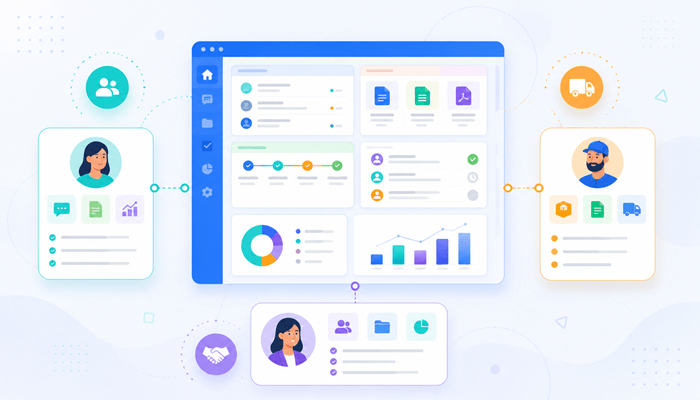
A B2B portal gives customers, vendors, dealers, members, partners, or internal teams a secure place to access information, submit requests, upload documents, track status, approve items, and interact with the business through a structured workflow.
The goal is not just to create a login screen.
The goal is to reduce manual coordination and give the right people access to the right information at the right time.
What Is a B2B Portal?
A B2B portal is a secure web-based platform that allows business users to interact with your company, your team, your data, or your workflows.
Depending on the business model, a B2B portal may serve:
- Customers
- Vendors
- Dealers
- Distributors
- Members
- Partners
- Franchisees
- Contractors
- Sales reps
- Internal teams
- Field teams
- Multi-location operators
A portal may allow users to:
- Submit requests
- Track order status
- Upload documents
- Download files
- Review pricing
- Approve quotes or designs
- View reports
- Manage tasks
- Communicate with your team
- Access training or resources
- Manage account information
- Review project progress
- See invoices or payment status
- Submit compliance documents
- Track fulfillment or delivery
A strong B2B portal does not simply display information.
It supports the workflow between your business and the people who depend on it.
The Real Problem: Email Is Not a System
Email is useful for communication.
It is terrible as an operational system.
Many B2B companies rely on email for work that should be structured:
- Customer requests
- Vendor documents
- Order changes
- Approvals
- File sharing
- Pricing questions
- Status updates
- Support requests
- Project communication
- Compliance follow-ups
- Partner coordination
The problem is not that email is bad.
The problem is that email does not provide enough structure, visibility, ownership, reporting, or workflow control.
When critical work lives in email, the business struggles to answer basic questions:
- What is pending?
- Who owns the next step?
- What has been approved?
- What is delayed?
- Which documents are missing?
- Which customer needs follow-up?
- What changed since last week?
- Which requests are stuck?
- What has already been communicated?
If the team has to search inboxes to understand operational status, the business does not have a workflow system.
It has a communication trail. That is not enough for scale.
Signs Your Business May Need a B2B Portal
A B2B portal becomes worth considering when customers, vendors, dealers, members, or partners regularly need to interact with your business in a structured way.
Common signs include:
- Customers repeatedly ask for order, project, or request status.
- Vendors send documents through email attachments.
- Dealers or partners need access to pricing, catalogs, files, or updates.
- Internal teams manually forward information between departments.
- Customers need to approve quotes, designs, documents, or tasks.
- Files are shared through email, Dropbox, Google Drive, or scattered folders.
- Staff spend too much time answering the same status questions.
- Reporting is difficult because external activity is not tracked in one place.
- Different users need different permissions and access levels.
- The business needs a better way to manage requests, uploads, approvals, or communication.
- Customers or vendors expect a more professional digital experience.
- Existing tools do not match the company’s workflow.
One or two of these issues may not justify a custom portal.
But when several happen repeatedly, the business is likely paying a hidden cost through manual coordination
Common Types of B2B Portals
B2B portals can support different business relationships and workflows.
Customer Portal
A customer portal gives clients a secure place to submit requests, track status, view documents, communicate with your team, approve items, and access account-specific information.
This is useful for service businesses, manufacturers, agencies, logistics companies, construction firms, healthcare providers, financial services, and companies with ongoing customer workflows
Vendor Portal
A vendor portal allows suppliers or service providers to submit documents, update information, respond to requests, review purchase details, track payment status, or manage compliance requirements.
This is useful when vendor coordination is too manual or document-heavy.
Dealer or Distributor Portal
A dealer portal helps dealers, distributors, or sales partners access pricing, product information, marketing assets, order history, inventory visibility, training materials, or sales support.
This is useful for companies that sell through partner networks
Member Portal
A member portal gives members access to resources, forms, documents, events, payments, benefits, learning content, or community-specific workflows.
This is useful for associations, nonprofits, industry groups, professional networks, and membership-based organizations.
Partner Portal
A partner portal helps external business partners collaborate with your company through shared workflows, documents, reporting, deal registration, referrals, tasks, or project visibility.
This is useful when partner activity affects revenue, delivery, or customer experience.
Internal Operations Portal
An internal portal gives employees a structured place to manage tasks, approvals, reporting, documents, requests, and operational workflows.
This may not be customer-facing, but it can still deliver major efficiency gains.
B2B Portal Features That Matter
A B2B portal should be designed around the workflow, not a generic feature checklist.
Common features may include:
- Secure user login
- Role-based permissions
- Account-specific dashboards
- Request submission forms
- Order or project tracking
- Document uploads and downloads
- Approval workflows
- Notifications and reminders
- Comments and communication history
- Status tracking
- Reporting dashboards
- Search and filtering
- File management
- Payment or invoice visibility
- Integration with CRM, ERP, accounting, ecommerce, or legacy systems
- Admin tools for internal teams
- Audit history
- Mobile-friendly design
The danger is trying to build every feature at once.
A portal should begin with the highest-value workflow.
The first version should solve the clearest operational problem, then expand in phases.
The Biggest Mistake: Building a Portal Without Workflow Clarity
Many businesses say they need a portal when they actually have not defined the workflow.
That is risky.
A portal is not just a collection of screens.
It is a digital operating environment.
Before building, the business needs to define:
- Who will use the portal?
- What problem does each user type need to solve?
- What information should each user see?
- What actions should each user be able to take?
- What should happen after a request is submitted?
- Who owns the next step internally?
- What approvals are required?
- What notifications should be sent?
- What data should sync with other systems?
- What reports should management see?
- What should be included in version one?
- What can wait until later?
Without this clarity, the portal becomes another disconnected tool.
That defeats the purpose.
Custom Portal vs. Off-the-Shelf Portal Software
Some businesses can use existing portal tools.
That may be the right answer when the workflow is simple and standard.
Off-the-shelf options may work for:
- Basic customer login
- Simple document sharing
- Standard support tickets
- Basic membership content
- Simple ecommerce account access
- Generic project collaboration
Custom B2B portal development becomes more relevant when the business process is specific, operationally important, or difficult to fit into standard software.
A custom portal may make sense when:
- Different users need different dashboards and permissions.
- The portal must connect to internal systems.
- The workflow includes custom approvals or business rules.
- Customers, vendors, or partners need account-specific information.
- Existing software creates too many workarounds.
- The portal must support complex document, order, project, or service workflows.
- Reporting needs are specific.
- The business wants to create a better customer or partner experience.
- The portal is tied directly to service delivery, revenue, or operations.
The decision should not be emotional.
If a standard tool solves the need well, use it.
If the workflow is central to how the business operates, custom development may create better long-term value.
B2B Portal Examples
Example 1: Customer Request Portal
A business receives customer requests through email.
The team manually reviews the request, asks for missing information, assigns it internally, and sends updates by email.
A customer portal could allow customers to submit structured requests, upload documents, track status, see history, and receive notifications.
Internally, the team can manage assignments, priorities, approvals, and reporting.
This reduces inbox dependency and improves visibility.
Example 2: Vendor Document Portal
A company works with many vendors who submit forms, certificates, invoices, compliance documents, or project files.
Without a portal, documents get scattered across inboxes and shared folders.
A vendor portal could allow vendors to upload documents, see missing items, respond to requests, and track approval status.
The internal team can review, approve, reject, comment, and report on vendor readiness.
Example 3: Dealer Portal
A manufacturer or distributor may need dealers to access product catalogs, pricing, order forms, marketing materials, training resources, and order history.
A dealer portal gives partners one controlled place to find what they need.
It also gives the business visibility into dealer activity, content usage, requests, and sales support needs.
Example 4: Project Status Portal
A service business may need customers to see project milestones, documents, approvals, comments, and open items.
Instead of sending repeated status emails, the portal becomes the shared source of truth.
Customers see what they need.
Internal teams manage the workflow.
Leadership sees progress and bottlenecks.
Example 5: Member Portal
An association or nonprofit may need members to access resources, renew memberships, register for events, submit forms, view documents, or complete required steps.
A member portal can centralize these workflows and reduce administrative overhead.
Role-Based Access Is Critical
B2B portals often involve different user types.
For example:
- A customer may see only their own orders or projects.
- A vendor may upload documents but not see internal notes.
- A dealer may access pricing based on region or tier.
- A manager may see reports across all accounts.
- An admin may manage users, permissions, workflows, and settings.
- An internal employee may see assigned tasks only.
Role-based access is not a nice-to-have.
It is central to portal design.
If permissions are poorly designed, the portal may expose the wrong information, confuse users, or create security risk.
This is why portal planning should include user roles from the beginning.
Reporting and Visibility Should Be Built In
A portal should not only serve external users.
It should give the business better visibility.
Management should be able to see:
- Request volume
- Pending approvals
Delayed items - Missing documents
- Customer activity
- Vendor compliance status
- Dealer engagement
- Open tasks
- Completed work
- Bottlenecks
- Response times
- Account-level status
- Workflow performance
This is where portals often create internal value beyond customer convenience.
They turn scattered communication into structured operational data.
That data can then support better decisions.
Questions to Ask Before Building a B2B Portal
Before starting a B2B portal project, ask:
- Who are the users?
- What do they need to do in the portal?
- What problem are we solving first?
- What information should each user type see?
- What actions should each user type be able to take
- What workflow should happen after a submission
- What approvals or reviews are needed?
- What notifications should be sent?
- What documents or files need to be managed?
- What systems should the portal connect to?
- What should be visible to internal teams?
- What reporting does leadership need?
- What can wait until phase two?
- What would make users actually adopt the portal
- How will success be measured?
These questions force the business to define the portal as an operational system, not just a website with a login.
When Not to Build a Custom Portal Yet
A custom B2B portal may not be the right move if:
- The workflow is not clearly defined.
- Users do not need repeated access.
- The process happens rarely.
- A standard tool can solve the problem well.
- The business has not identified the first high-value workflow.
- Internal teams are not ready to manage the portal.
- Data sources are too messy to support the portal.
- Leadership wants every feature in version one.
There is no clear owner for the project.
This is important.
A portal is not a shortcut around process discipline.
If the business does not know how the workflow should operate, the portal will expose that confusion.
Planning comes first.
Development comes second.
Final Takeaway
A B2B portal is not just a login area.
It is a structured way for customers, vendors, dealers, members, partners, or internal teams to interact with your business.
A growing business should consider a portal when important workflows are being managed through email, spreadsheets, shared folders, disconnected systems, and manual follow-up.
Still Managing Customer, Vendor, or Partner Workflows Through Email?
Argos can help you map the workflow, define the right portal structure, and create a prototype-first plan before full development begins.
Frequently Asked Questions
What types of B2B portals can be built?
Common types include customer portals, vendor portals, dealer portals, distributor portals, member portals, partner portals, internal operations portals, project status portals, and document management portals.
Is a custom B2B portal better than off-the-shelf portal software?
Not always. Off-the-shelf software may be better for simple and standard needs. A custom B2B portal makes more sense when the workflow is specific, requires role-based access, connects to internal systems, supports custom approvals, or is central to business operations.
What features should a B2B portal include?
Common features include secure login, role-based permissions, dashboards, request forms, document upload, status tracking, approvals, notifications, comments, reporting, admin tools, and integrations with CRM, ERP, accounting, ecommerce, or legacy systems.